
A/B Test Prioritizer
Stop guessing which A/B test to run next.
The A/B Test Prioritizer objectively ranks your test ideas by Priority, Impact, and Ease.
Marketing teams often prioritize tests based on gut feeling. The problem is that “best idea” doesn’t always mean “biggest impact”. This calculator gives you a repeatable way to score every test and know which to run next.
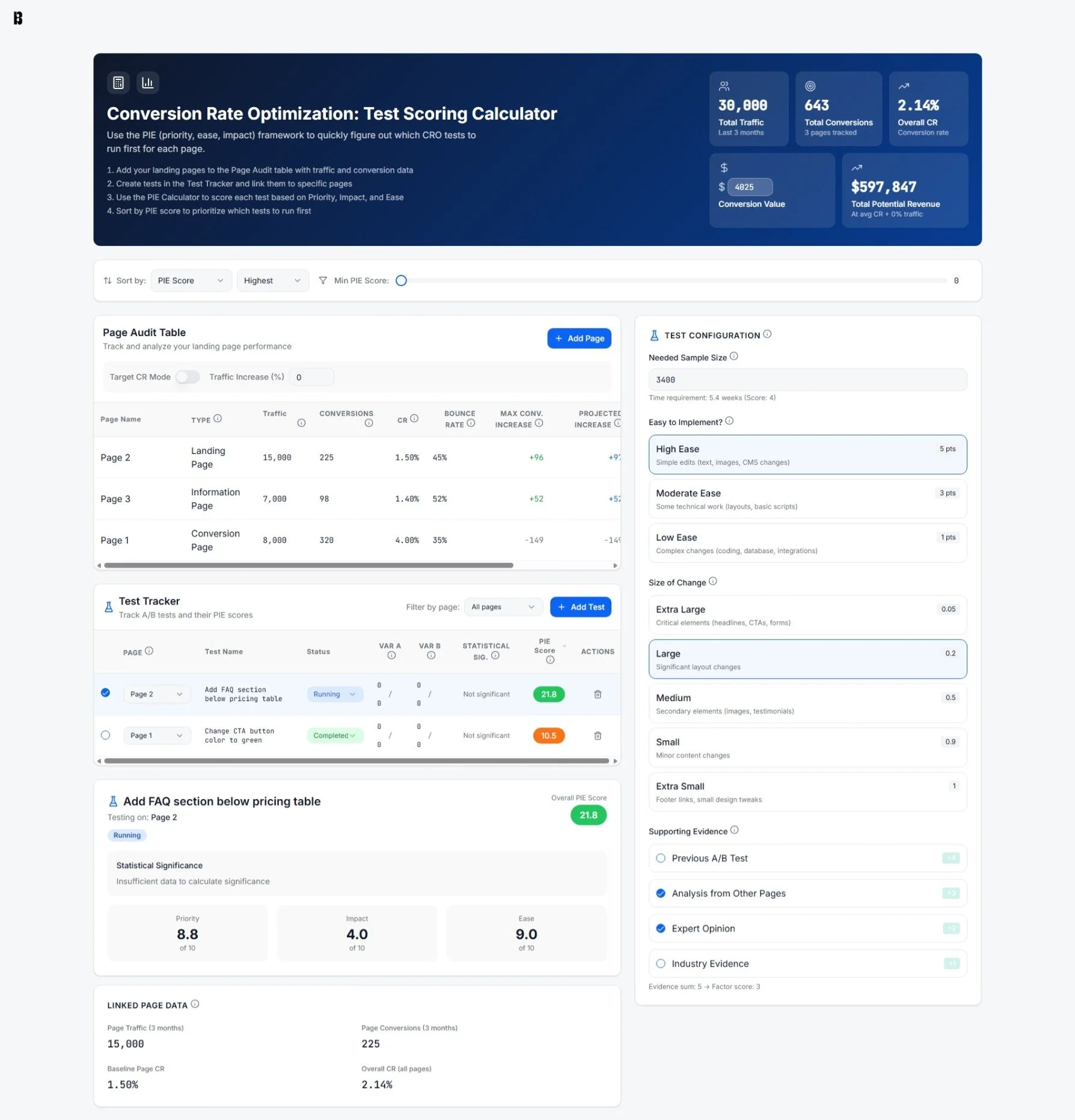
Using the A/B Test Prioritizer, I’ve increased page conversion rates by an average of 223%.
Get a prioritized list of tests to always know what to run next.

Score each test with a consistent framework (Priority, Impact, Ease) instead of relying on whoever has the strongest opinion.
Build a real CRO program in-house, without the need for an agency.
Get clear guidance on the next best test for each page, then work down the list.
Keep page performance data and test tracking in the same place.
Track page traffic and conversions in the Page Audit Table.
Link every test to the page it lives on to keep track of inputs and context.
Mark tests complete using the built-in A/B test significance calculator in the Test Tracking Table.
Show the ROI of CRO with scenarios that leadership can understand.

Use conversion value to translate a better conversion rate into potential revenue impact.
Toggle Average CR mode vs. Target CR mode to show different outcomes for underperforming pages.
Layer in traffic increases to model different scenarios beyond conversion rate alone.
FAQs
-
CRO stands for Conversion Rate Optimization - it’s the process of getting more of your website visitors to take the actions you want them to take. Instead of redesigning pages at random, CRO uses data and structured tests to figure out what’s blocking people from converting.
-
All you need is a list of the pages you want to test and basic analytics for those pages: traffic and conversions. If you can see which pages get visits and how often people convert, you have enough to start using the tool.
-
You can pull this data from Google Analytics, your CRM, form tool, or, ideally, behavior tools like Hotjar, CrazyEgg, or VWO. They’ll show you heatmaps, scroll depth, and session recordings which are useful for identifying where users are getting stuck.
Grab the last 90 days of data for each page:
Traffic (sessions or users)
Conversions (form fills, purchases, sign-ups, etc.)
-
Once you have page-level traffic and conversions, compare each page to your overall site conversion rate. Pages with decent traffic and below-average conversion rates are usually your best testing opportunities. From there, start asking: What might be confusing, distracting, or missing on this page? (This is where it really helps to have a heat map / scroll depth tool like CrazyEgg or Hotjar).
Turn your observations into concrete test ideas, like “shorten the form,” “rewrite the headline,” or “add proof near the CTA” (make sure the test is only changing one variable on the page), then send those ideas into the Test Prioritization calculator.
-
Add your landing pages to the Page Audit table with traffic and conversion data.
Create tests in the Test Tracker and link each one to a specific page.
Use the PIE Calculator to score each test based on Priority, Impact, and Ease.
Sort by PIE score to decide what to run first, then repeat.
-
The Test Prioritization Calculator turns your list of ideas into a ranked roadmap. For a given page, you enter each test idea and then score it on three dimensions:
Priority (how urgent or important the problem feels on that page)
Impact (how much lift you expect if the test works, but also incorporates risk)
Ease (how simple it is to implement with your current resources)
The tool calculates a PIE score for every test and automatically ranks them. Your plan is then simple: start with the highest PIE score, run it, log what you learn, and move down the list.
-
You can either:
Use an A/B testing tool (or your content creation tool if it has an A/B testing feature) to set up tests where some visitors see the original page and others see the variation.
Make measured changes (one at a time). If you don’t have a testing tool, update one element at a time (for example, just the headline), run it for a set period, and compare conversion rates before and after.
In both cases, document what you changed, when you changed it, and the outcome. That way, every test (win or loss) feeds back into your future ideas and PIE scores.
The CRO Process
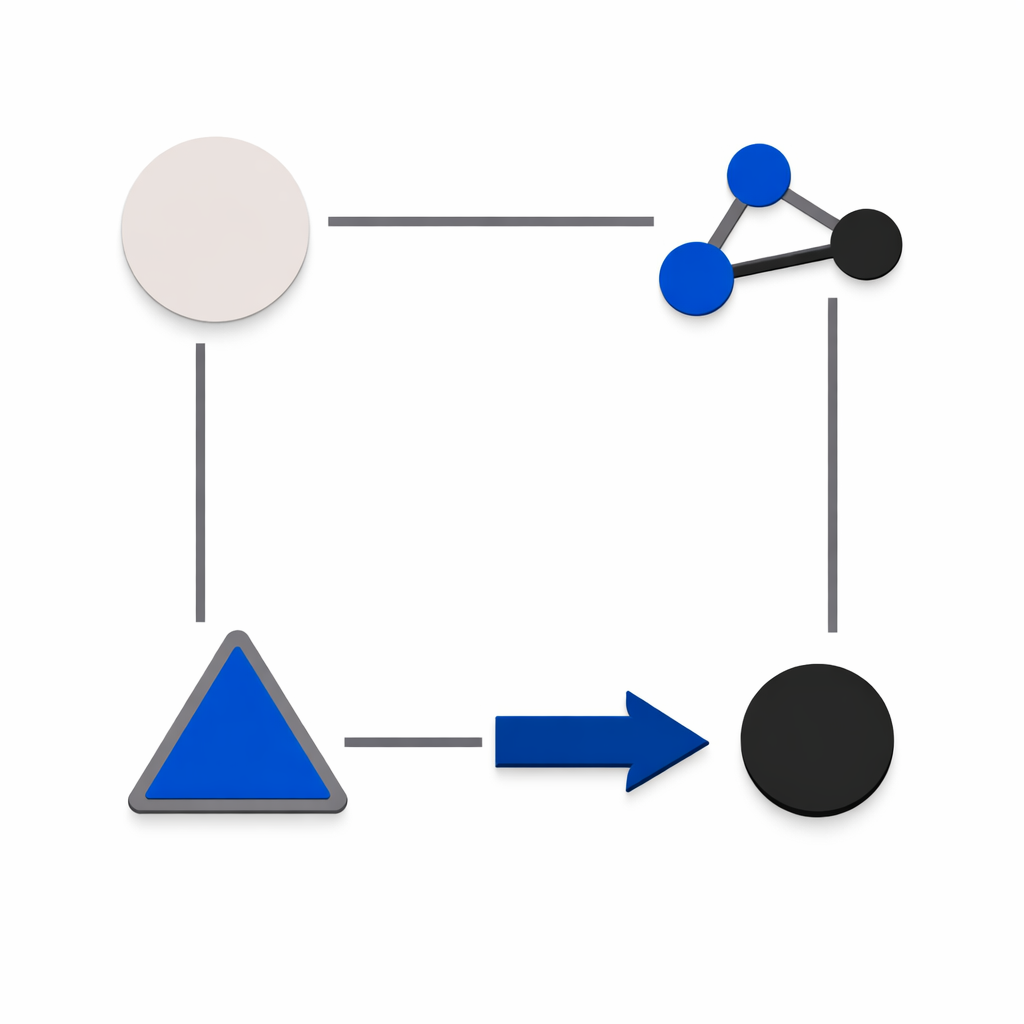
1.
Research user behavior to identify issues and optimize conversion paths.
2.
Use that research to create testing plans.
3.
Prioritize, design, and implement the tests.
4.
Analyze the results and act.